> ## Documentation Index
> Fetch the complete documentation index at: https://docs.wapikit.com/llms.txt
> Use this file to discover all available pages before exploring further.

# 🛒 Sending Products

> Send a product message to your contacts using Wapikit

Product messages in WhatsApp can be sent in three ways:

<CardGroup cols={3}>
  <Card title="Single Product Message" icon="bullhorn" href="#single-product-message">
    Send a single product message to a specific contact.
  </Card>

  <Card title="Product Message in Campaign" icon="inbox" href="#multi-product-message">
    Send a product message to a specific contact list.
  </Card>

  <Card title="Send Full Catalog" icon="chart-line" href="#send-full-catalog">
    Send a full catalog to a specific contact list.
  </Card>
</CardGroup>

***

## 🛍️ <span id="single-product-message">Single Product Message</span>

<Steps>
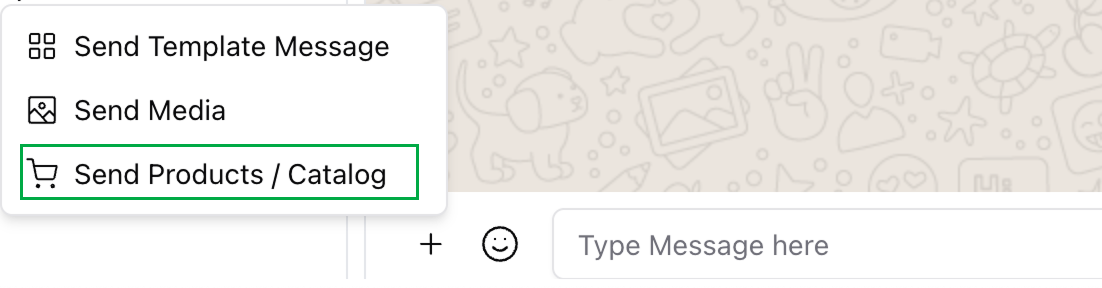
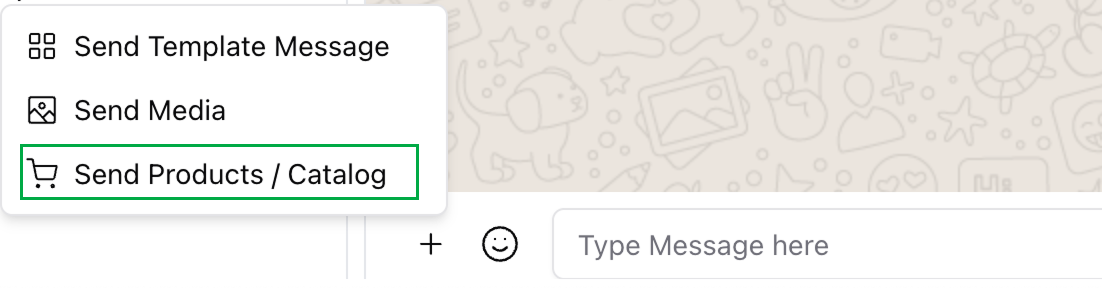
  <Step title="Click the plus (+) button in the chat canvas">
    <Frame>
      <img src="https://mintcdn.com/wapikit/I3kdIr-JKFohDoFN/assets/sending-interactive-message/product/1.png?fit=max&auto=format&n=I3kdIr-JKFohDoFN&q=85&s=0419c3f58dfdd3774e0d92d56eb53677" width="1102" height="288" data-path="assets/sending-interactive-message/product/1.png" />
    </Frame>
  </Step>

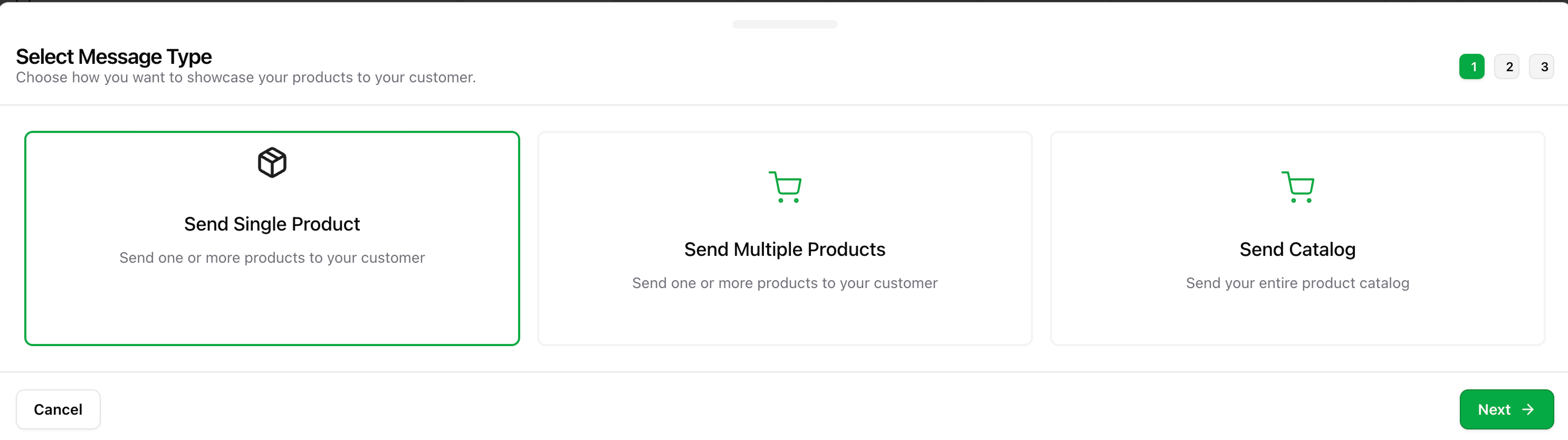
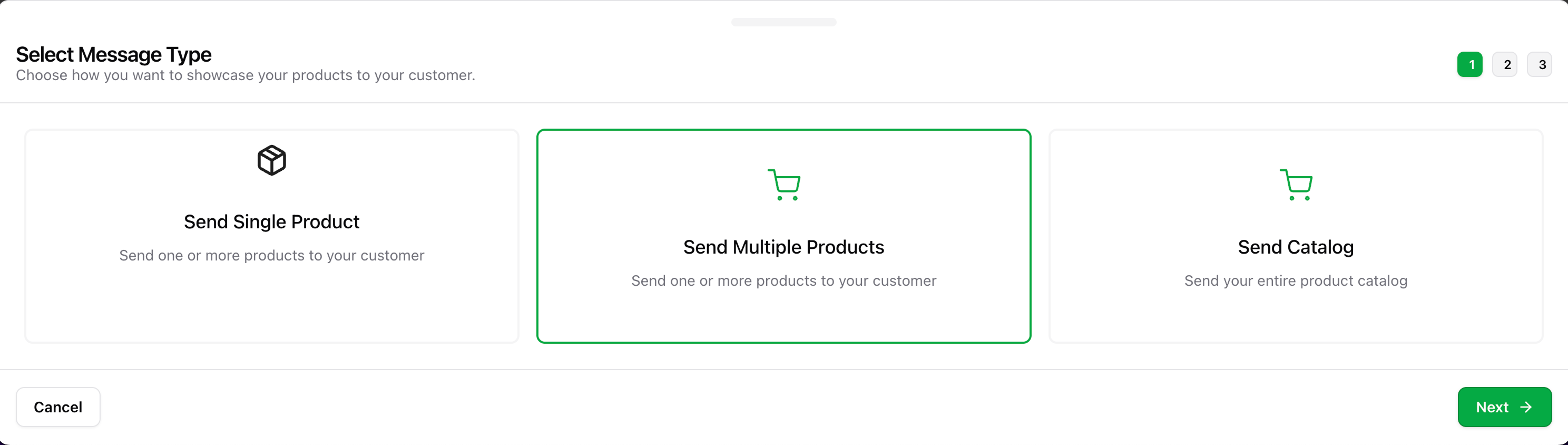
  <Step title="Select 'Send Single Product' and click Next">
    <Frame>
      <img src="https://mintcdn.com/wapikit/I3kdIr-JKFohDoFN/assets/sending-interactive-message/product/2.png?fit=max&auto=format&n=I3kdIr-JKFohDoFN&q=85&s=096452c4247b7b686c23cc75c657dd5a" width="2972" height="834" data-path="assets/sending-interactive-message/product/2.png" />
    </Frame>
  </Step>

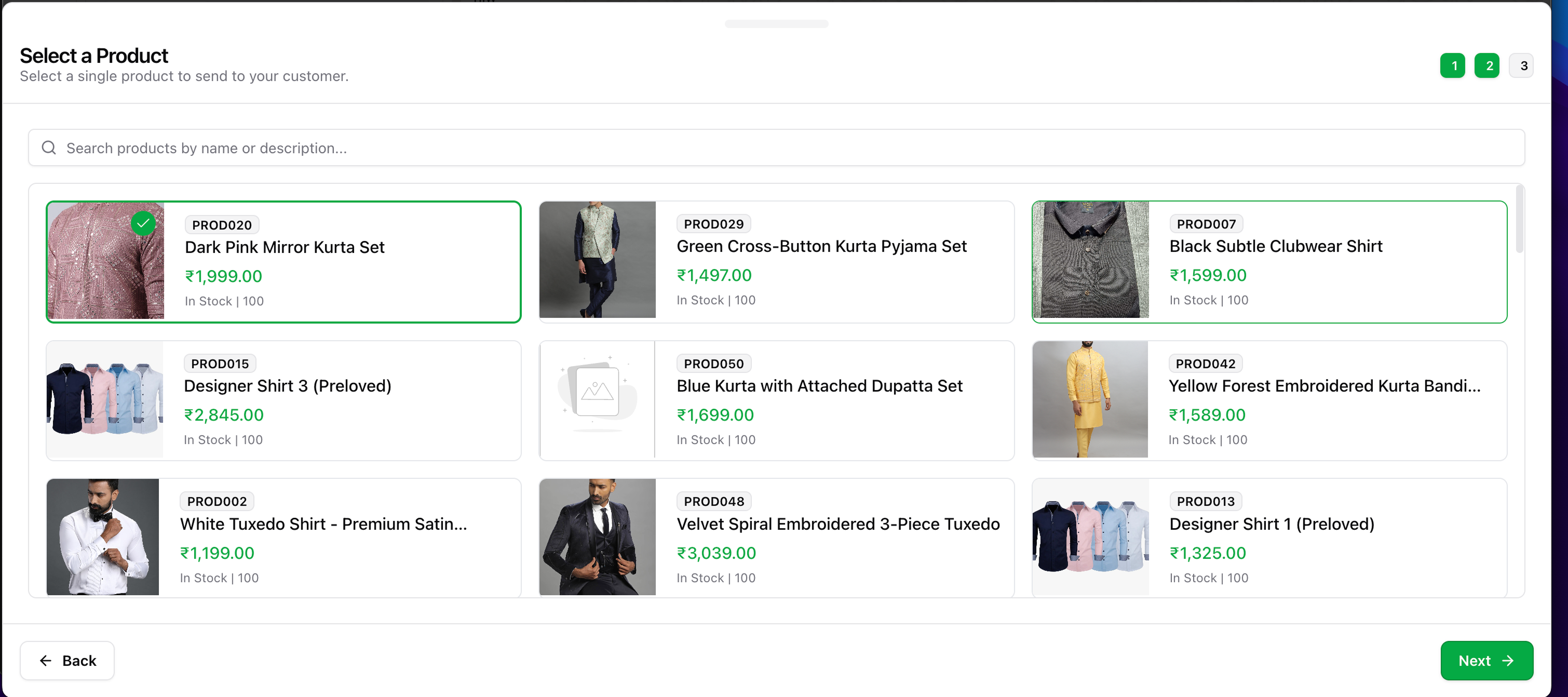
  <Step title="Choose the product to send">
    <Frame>
      <img src="https://mintcdn.com/wapikit/I3kdIr-JKFohDoFN/assets/sending-interactive-message/product/3.png?fit=max&auto=format&n=I3kdIr-JKFohDoFN&q=85&s=4a23b2bae77e3b80f2f285aefac27a47" width="3020" height="1342" data-path="assets/sending-interactive-message/product/3.png" />
    </Frame>
  </Step>

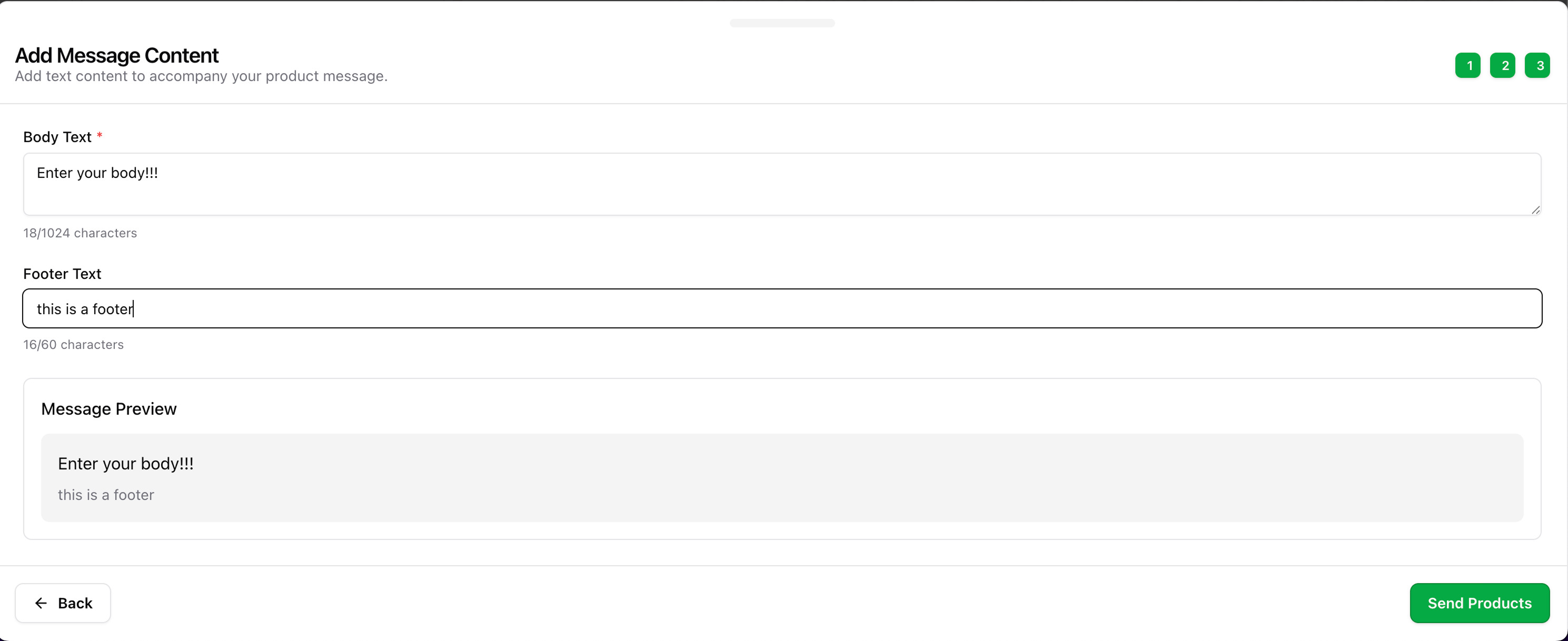
  <Step title="Fill the Body and Footer">
    <Tip>Use the body to describe the product clearly. The footer can include CTAs or disclaimers.</Tip>

    <Frame>
      <img src="https://mintcdn.com/wapikit/I3kdIr-JKFohDoFN/assets/sending-interactive-message/product/4.png?fit=max&auto=format&n=I3kdIr-JKFohDoFN&q=85&s=9e54d7b53a19c561fc55bff8f8c7b131" width="2978" height="1218" data-path="assets/sending-interactive-message/product/4.png" />
    </Frame>
  </Step>

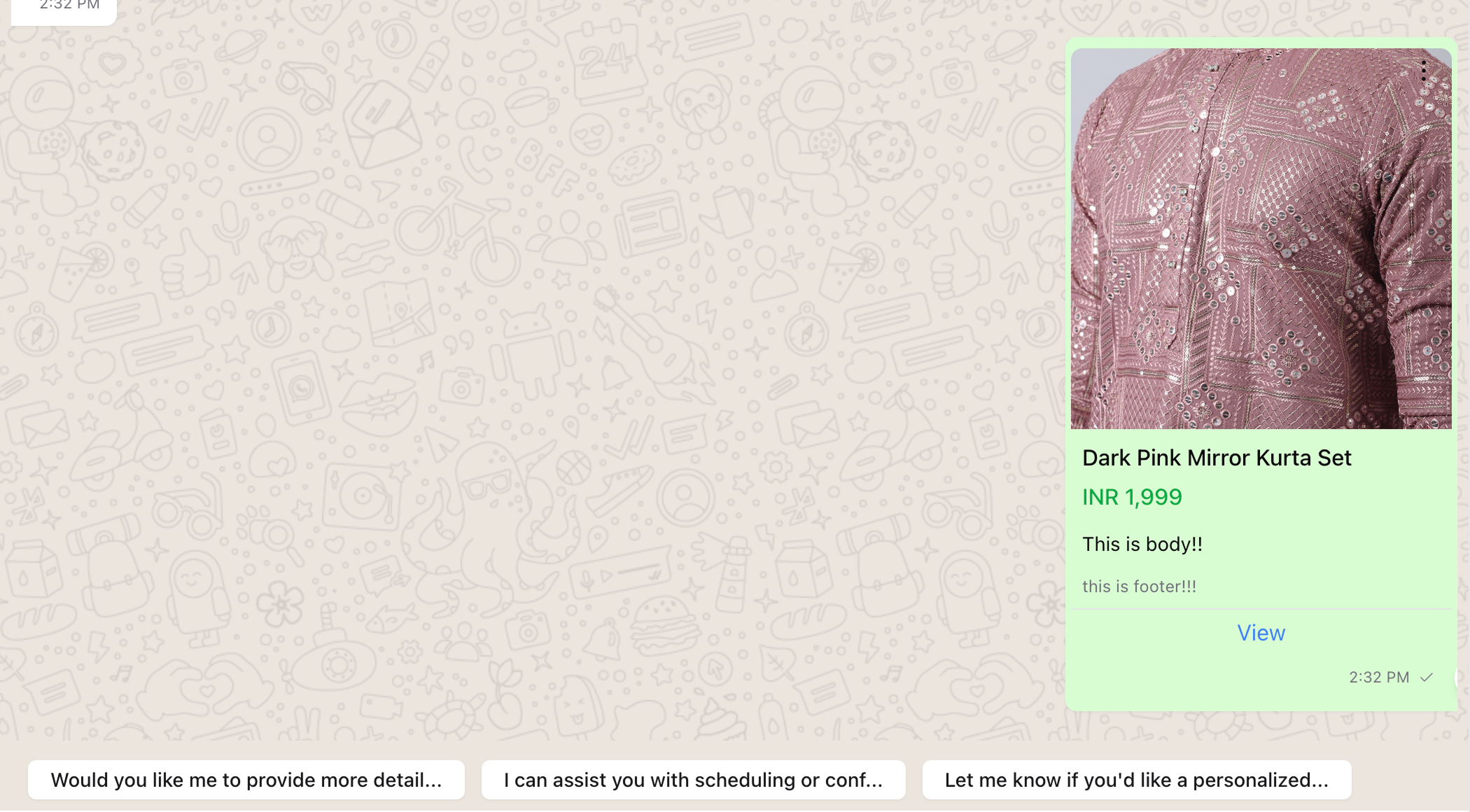
  <Step title="Click 'Send Products' to dispatch">
    <Frame>
      <img src="https://mintcdn.com/wapikit/I3kdIr-JKFohDoFN/assets/sending-interactive-message/product/5.png?fit=max&auto=format&n=I3kdIr-JKFohDoFN&q=85&s=32b6334697addb003afa5f948a6f81ee" width="2100" height="1160" data-path="assets/sending-interactive-message/product/5.png" />
    </Frame>

    <Check>The message is now visible to your customer.</Check>
  </Step>
</Steps>

***

## 🧺 <span id="multi-product-message">Multi Product Message</span>

<Steps>
  <Step title="Click the plus (+) button in the chat canvas">
    <Frame>
      <img src="https://mintcdn.com/wapikit/I3kdIr-JKFohDoFN/assets/sending-interactive-message/mpm/1.png?fit=max&auto=format&n=I3kdIr-JKFohDoFN&q=85&s=d1a82c9cfebe1903992b4167e993e1d0" width="1102" height="288" data-path="assets/sending-interactive-message/mpm/1.png" />
    </Frame>
  </Step>

  <Step title="Select 'Send Multiple Products'">
    <Frame>
      <img src="https://mintcdn.com/wapikit/I3kdIr-JKFohDoFN/assets/sending-interactive-message/mpm/2.png?fit=max&auto=format&n=I3kdIr-JKFohDoFN&q=85&s=ffd7c7a2a13b60b47efcdff3168440c3" width="2980" height="1444" data-path="assets/sending-interactive-message/mpm/2.png" />
    </Frame>
  </Step>

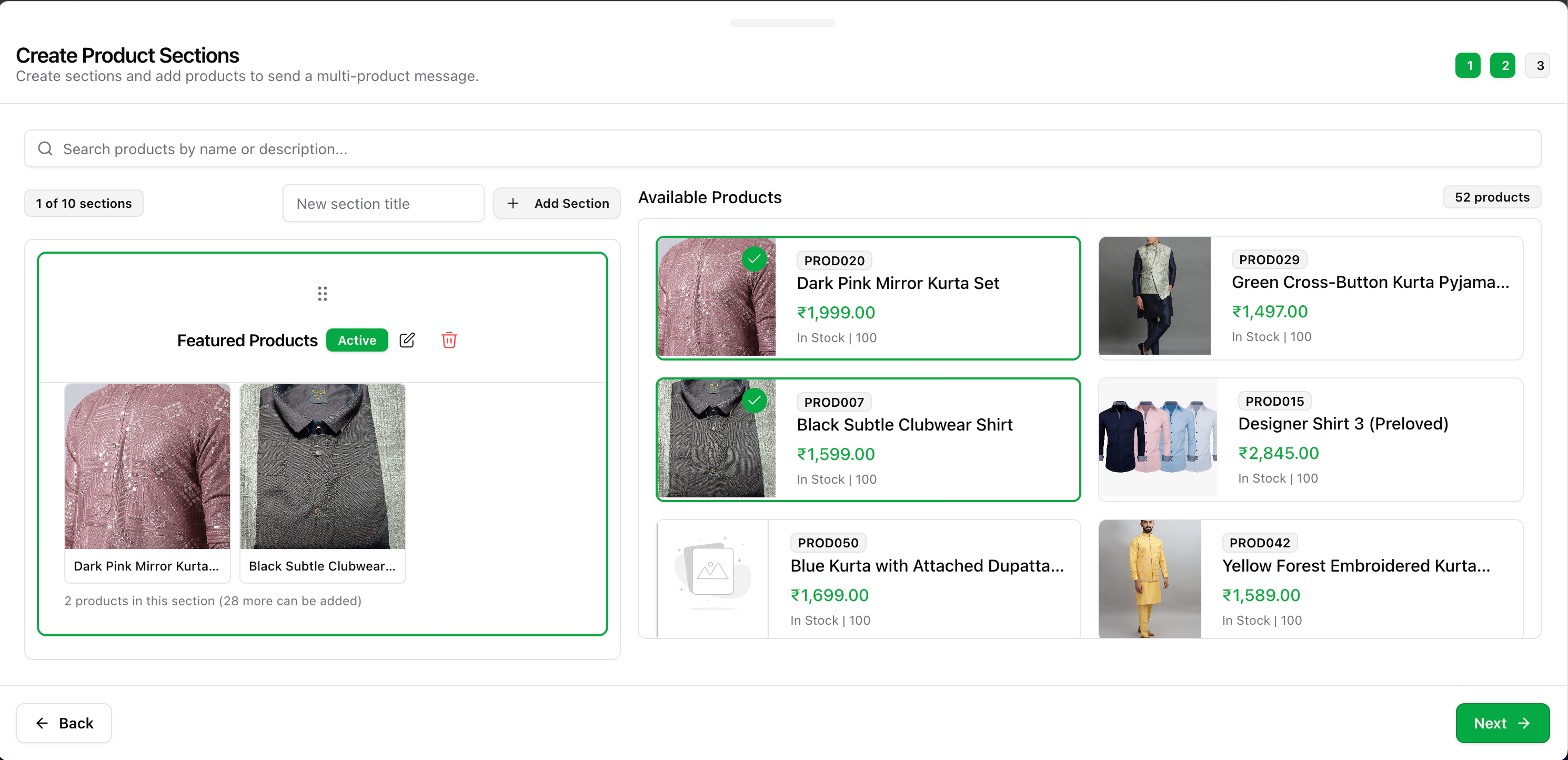
  <Step title="Choose your products and organize them into sections">
    <Tip>You can create up to 10 sections with 30 products each.</Tip>
  </Step>

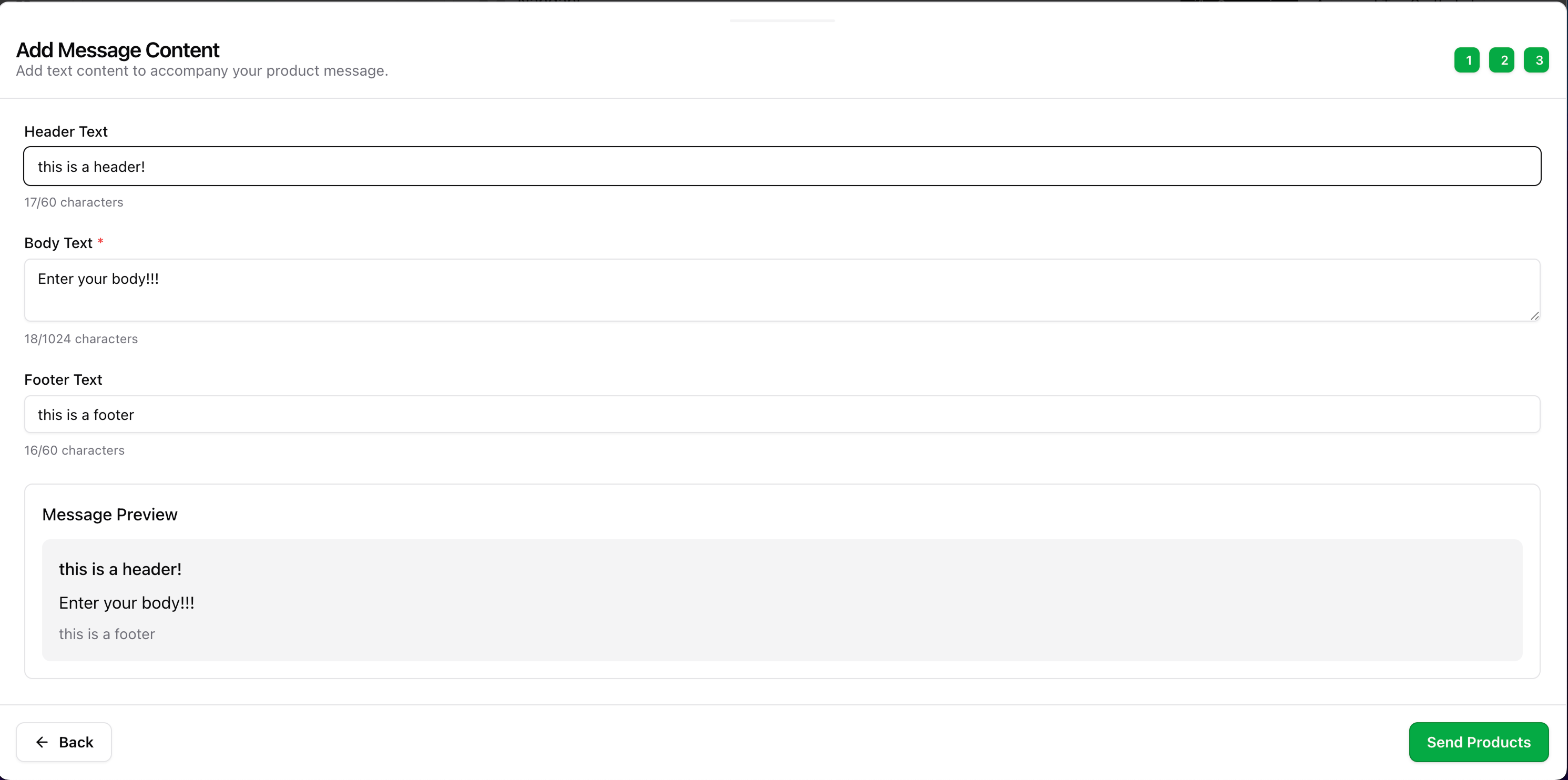
  <Step title="Fill the Header, Body, and Footer">
    <Frame>
      <img src="https://mintcdn.com/wapikit/I3kdIr-JKFohDoFN/assets/sending-interactive-message/mpm/3.png?fit=max&auto=format&n=I3kdIr-JKFohDoFN&q=85&s=b21d06729f76753de9d3002ff5d663b0" width="2982" height="1484" data-path="assets/sending-interactive-message/mpm/3.png" />
    </Frame>
  </Step>

  <Step title="Click 'Send' to deliver the multi-product layout">
    <Frame>
      <img src="https://mintcdn.com/wapikit/I3kdIr-JKFohDoFN/assets/sending-interactive-message/mpm/4.png?fit=max&auto=format&n=I3kdIr-JKFohDoFN&q=85&s=40d5a3b0a6d164b2a7642016e0639e88" width="2976" height="844" data-path="assets/sending-interactive-message/mpm/4.png" />
    </Frame>

    <Check>Customers can now browse products in sections on WhatsApp.</Check>
  </Step>
</Steps>

***

## 🗂️ <span id="send-full-catalog">Send Full Catalog</span>

<Steps>
  <Step title="Click the plus (+) button in the chat canvas">
    <Frame>
      <img src="https://mintcdn.com/wapikit/I3kdIr-JKFohDoFN/assets/sending-interactive-message/catalog/1.png?fit=max&auto=format&n=I3kdIr-JKFohDoFN&q=85&s=4260a458e722c3dbaefb0a8177a55d35" width="1102" height="288" data-path="assets/sending-interactive-message/catalog/1.png" />
    </Frame>
  </Step>

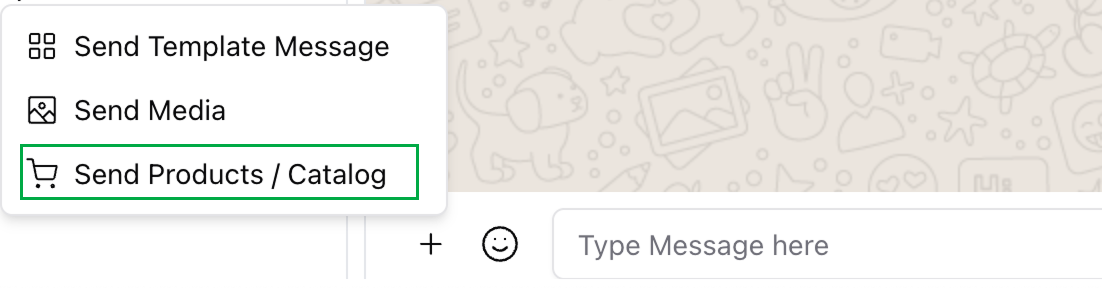
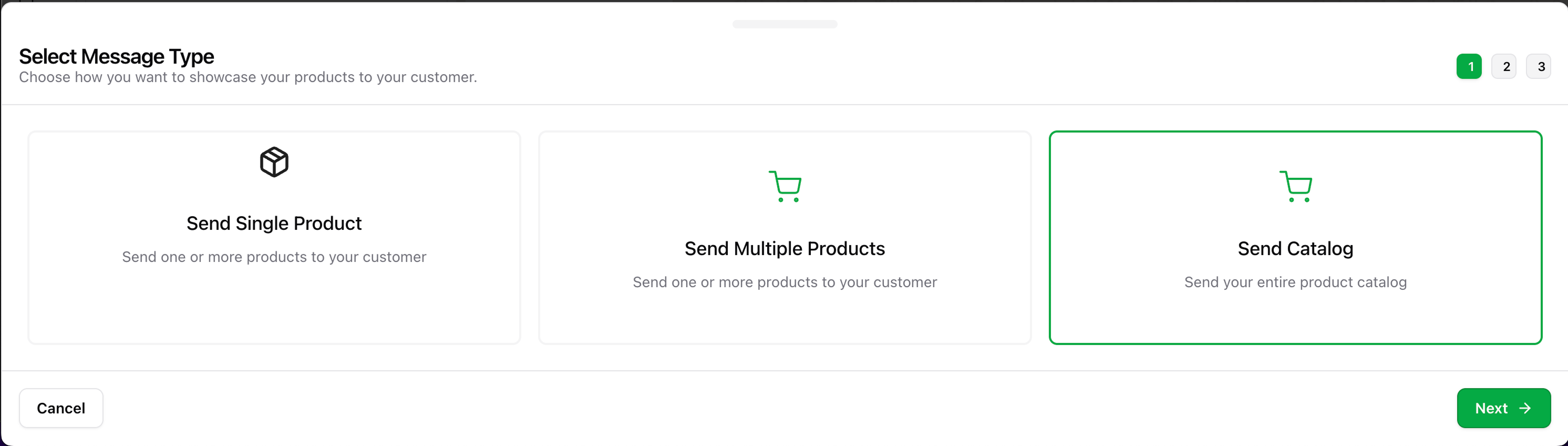
  <Step title="Select 'Send Full Catalog' option" />

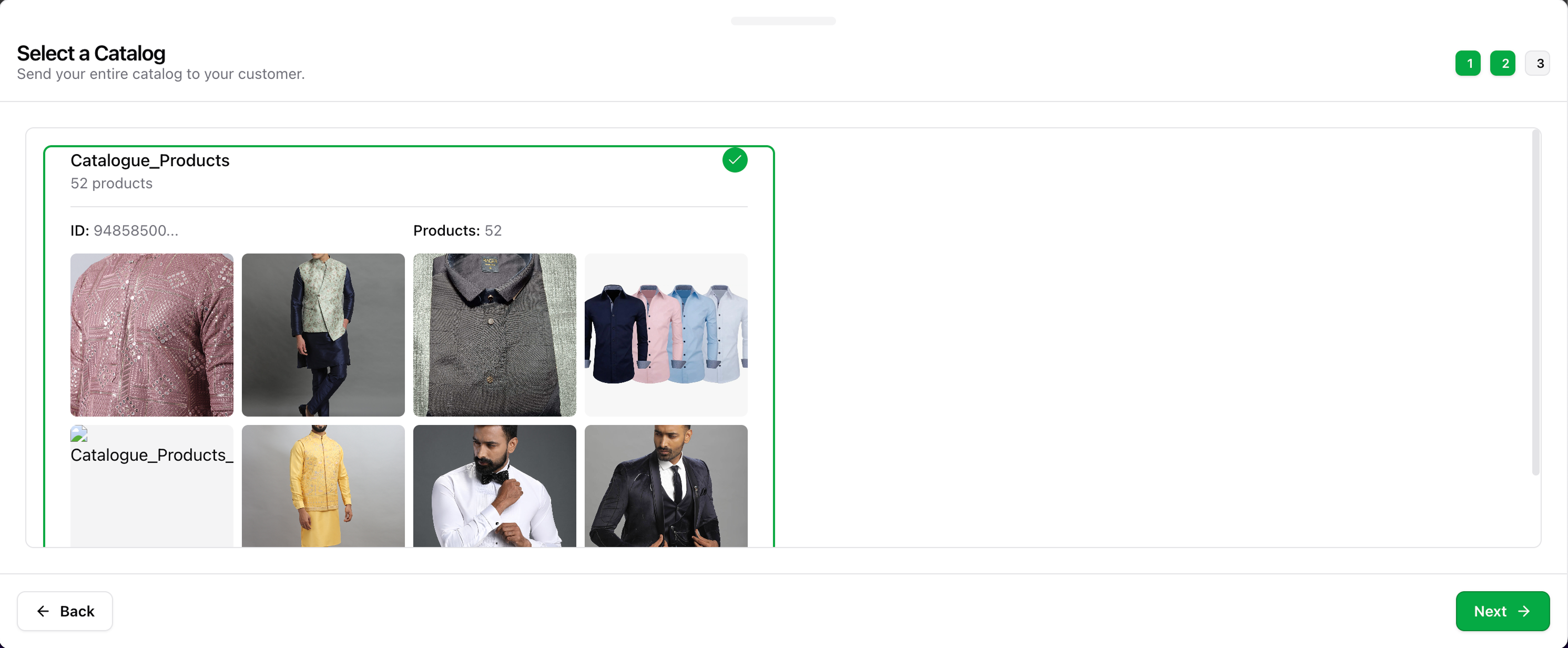
  <Step title="Choose catalog (only one is supported per account currently)">
    <Info>WhatsApp currently supports a single catalog per number. More coming soon.</Info>
  </Step>

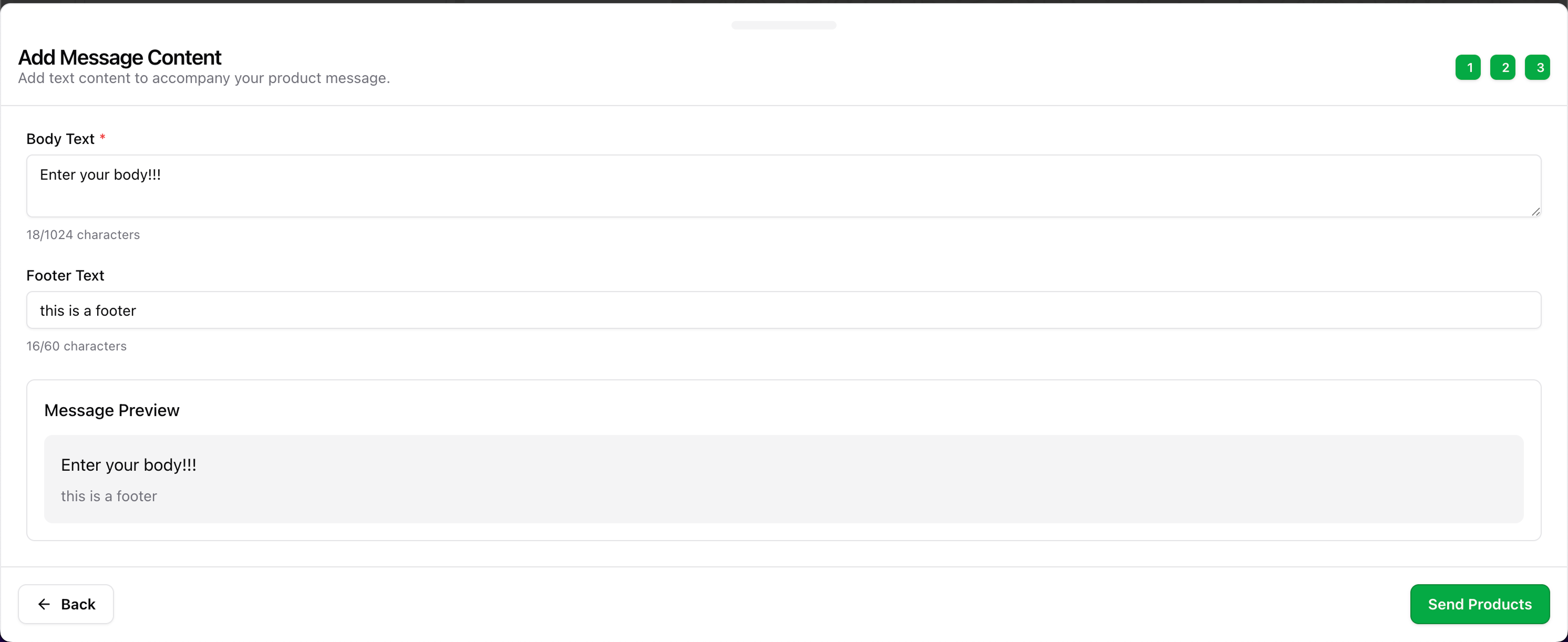
  <Step title="Add a Body and Footer for context">
    <Frame>
      <img src="https://mintcdn.com/wapikit/I3kdIr-JKFohDoFN/assets/sending-interactive-message/catalog/2.png?fit=max&auto=format&n=I3kdIr-JKFohDoFN&q=85&s=ff593810a02b7f8f89303df9e084058f" width="2982" height="1232" data-path="assets/sending-interactive-message/catalog/2.png" />
    </Frame>

    <Frame>
      <img src="https://mintcdn.com/wapikit/I3kdIr-JKFohDoFN/assets/sending-interactive-message/catalog/3.png?fit=max&auto=format&n=I3kdIr-JKFohDoFN&q=85&s=bb9240c1761ff381e7c3ef122d4541b5" width="2984" height="1222" data-path="assets/sending-interactive-message/catalog/3.png" />
    </Frame>
  </Step>

  <Step title="Click 'Send' to dispatch the full catalog">
    <Frame>
      <img src="https://mintcdn.com/wapikit/I3kdIr-JKFohDoFN/assets/sending-interactive-message/catalog/4.png?fit=max&auto=format&n=I3kdIr-JKFohDoFN&q=85&s=8ade027c4993d3453f1c954397e63a5a" width="2984" height="848" data-path="assets/sending-interactive-message/catalog/4.png" />
    </Frame>

    <Check>The full catalog is sent and will be viewable in WhatsApp natively.</Check>
  </Step>
</Steps>